75 Procreate Bloody Stamps: Horror Design Kit
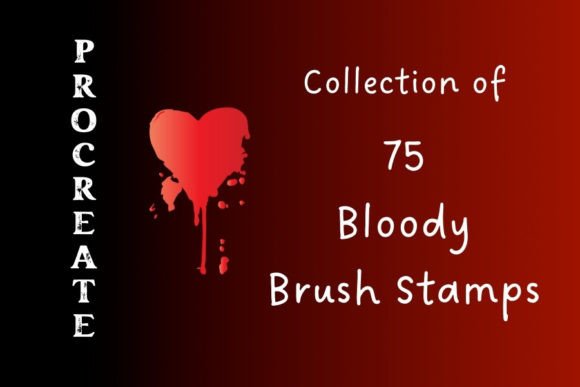
Digital horror art demands more than just a steady hand and a dark color palette. It requires texture, chaos, and the visceral impact of organic imperfection. This is where specialized assets become indispensable for illustrators, concept artists, and graphic designers working in the thriller, crime, or Halloween niches. The 75 Procreate Bloody Stamps Bonus package offers a curated collection of tools designed to inject immediate realism and grit into your digital canvases. Rather than spending hours manually painting individual droplets or spatter patterns, creators can leverage these pre-made stamps to achieve high-fidelity results in seconds.
This resource is not merely a set of brushes; it is a comprehensive workflow accelerator. By integrating these assets, you bypass the tedious trial-and-error phase of creating realistic fluid dynamics. Whether you are designing cover art for a true-crime podcast, illustrating a graphic novel, or creating seasonal marketing materials, this kit provides the foundational elements needed to evoke tension and unease effectively.
Deconstructing the Asset Package
Understanding the full scope of the download is essential for maximizing its utility. The core of the package is the Bloody-Set.Brushset, which contains seventy-five distinct stamps. These are not repetitive clones; each stamp features unique variations in density, spread, and droplet size. This variety ensures that your compositions remain dynamic and avoid the "copy-paste" look that often plagues digital art using limited resources.
Beyond the primary stamps, the zip file includes significant value-adds that expand the creative possibilities. You receive two horror-themed color swatch palettes: Horror-Palette.Swatches and Horror-Scenes.Swatches. These are meticulously calibrated to provide the right shades of crimson, rust, dried brown, and bruised purple. Having these colors pre-loaded saves time on color theory adjustments and ensures visual consistency across your project.
Additionally, the bundle includes the Haunted-Sketches.Brushset, featuring five creepy doorway sketches. While seemingly specific, these assets serve as excellent compositional anchors or background elements for scene-setting. They provide instant architectural context, allowing artists to focus on character placement and lighting without getting bogged down in perspective drawing for every minor background detail.
Practical Applications for Creators
The versatility of the 75 Procreate Bloody Stamps Bonus extends far beyond simple gore effects. Here is how different professionals can integrate these tools into their daily workflows:
- Graphic Novelists and Comic Artists: Action sequences require impact. Use the spatter stamps to visualize force and movement during fight scenes. The varying opacity settings allow for layering, creating depth between fresh wounds and older stains.
- Book Cover Designers: Thriller and mystery genres rely heavily on atmospheric cues. A subtle blood smear or a single, well-placed droplet can communicate genre instantly to potential readers browsing online marketplaces. The included swatches help maintain a cohesive, moody aesthetic that stands out on thumbnail-sized images.
- Game Developers and Concept Artists: When designing environment textures or character damage states, these stamps serve as excellent base layers. They can be overlaid onto armor, clothing, or dungeon walls to suggest history and danger without requiring high-resolution 3D rendering for every surface.
- Marketing Professionals: For seasonal campaigns around Halloween or horror-themed events, these assets enable rapid production of social media graphics. The ease of use means non-illustrators can still produce professional-looking promotional content by combining text with these high-quality visual elements.
Enhancing Efficiency and Visual Impact
Time is a critical resource for freelancers and agency teams. Manually painting realistic blood spatter involves complex brush dynamics, pressure sensitivity adjustments, and often, multiple failed attempts. With the 75 Procreate Bloody Stamps Bonus, the learning curve is flattened. You select the stamp, adjust the size, and place it. This efficiency allows you to allocate more time to composition, lighting, and narrative elements—the aspects that truly define the quality of the artwork.
Furthermore, the visual fidelity of these stamps contributes to better user engagement. In digital media, viewers subconsciously recognize the difference between flat, digital shapes and organic textures. The irregular edges and natural dispersion patterns found in this kit trigger a stronger emotional response. This is crucial for branding in the horror sector, where the goal is often to unsettle or intrigue the audience. A polished, professional appearance builds trust with your clients or audience, signaling that attention to detail was prioritized.
Technical Considerations and Best Practices
To get the most out of these assets, consider the following technical tips when implementing them in Procreate:
- Layer Management: Always place blood stamps on separate layers. This allows you to adjust opacity, blending modes, and position independently. Using blending modes like "Multiply" or "Overlay" can help the stains interact more naturally with the underlying textures of skin, fabric, or stone.
- Color Variation: Do not rely solely on bright red. Utilize the included Horror-Palette.Swatches to introduce darker, dried tones. Realistic horror art often benefits from subtlety; a dark, crusty stain can be more disturbing than a vibrant splash.
- Scale and Perspective: Ensure the size of the spatter matches the scale of your subject. A massive splatter on a small object breaks immersion. Use the transform tool to rotate and skew stamps so they align with the direction of impact or gravity in your scene.
- Combining Assets: Experiment by combining the bloody stamps with the Haunted-Sketches brushes. For example, place a bloodstain near the threshold of a creepy doorway sketch to imply a narrative event occurred just before the viewer arrived at the scene.
Evaluating Value for Your Toolkit
When deciding whether to incorporate the 75 Procreate Bloody Stamps Bonus into your library, consider your current project pipeline. If you frequently work within the horror, thriller, or dark fantasy genres, this kit pays for itself in saved hours alone. The inclusion of bonus palettes and sketch brushes adds substantial weight to the package, making it a holistic solution rather than a single-use tool.
For educators teaching digital illustration, these assets can serve as excellent teaching aids. They allow students to focus on composition and storytelling without getting frustrated by the technical difficulties of rendering complex fluids. Similarly, hobbyists looking to elevate their fan art or personal projects will find the barrier to entry significantly lowered.
It is important to note that while these stamps are powerful, they should enhance your art, not replace fundamental skills. Use them as a foundation, then refine edges, add highlights, and integrate shadows manually to ensure the final piece feels cohesive and uniquely yours. The sample images included in the zip file provide a clear reference for what is possible, offering inspiration for how to layer and manipulate the assets effectively.
In a competitive digital landscape, having specialized, high-quality resources can distinguish your work. The 75 Procreate Bloody Stamps Bonus offers a practical, efficient, and visually striking way to add depth and narrative power to your creative projects. By streamlining the technical process of creating horror elements, it frees you to focus on what matters most: telling a compelling story through your art.